
Ghost Gunner 2 Y-Axis Repair
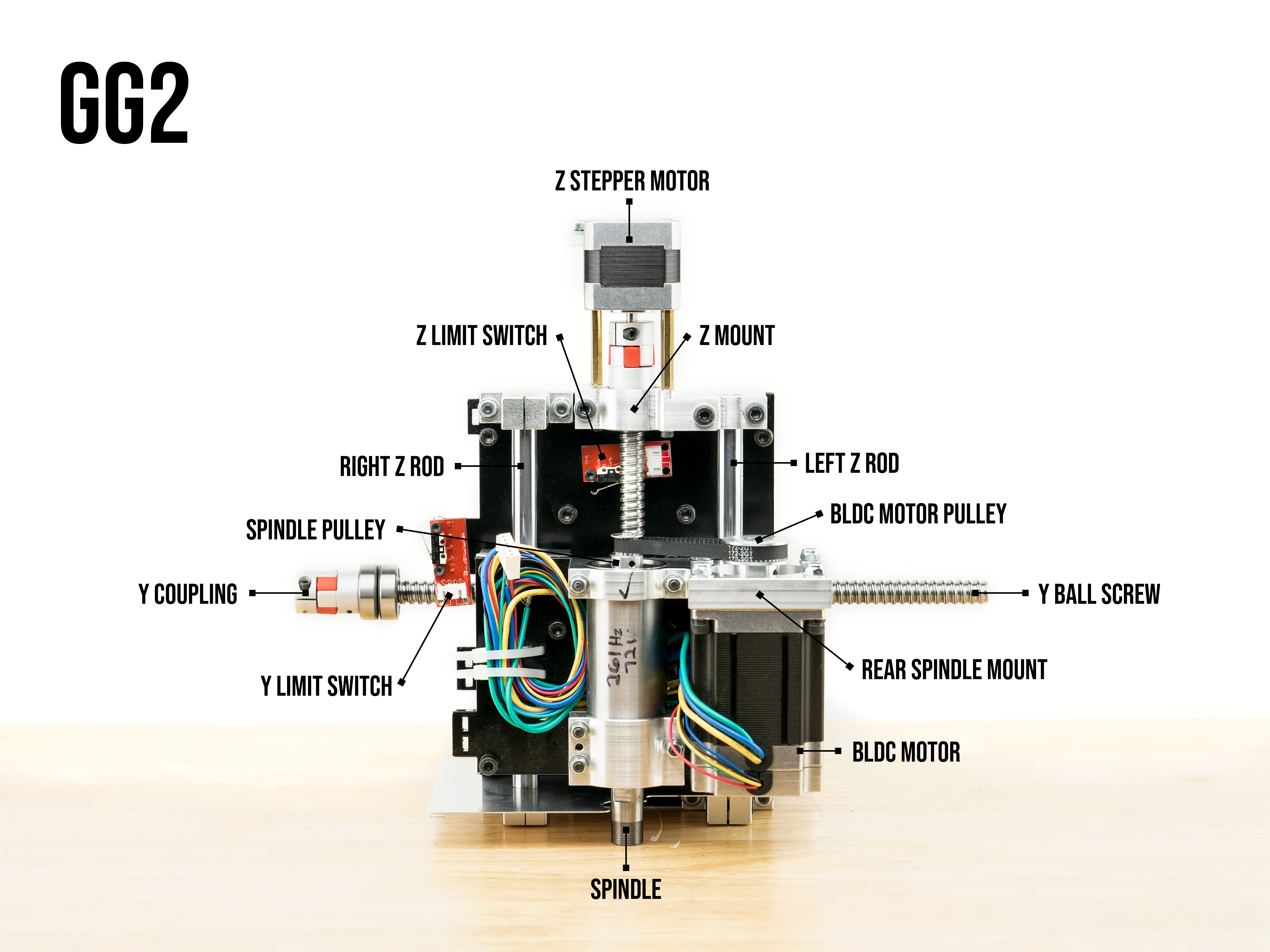
Forward-backward motion along the z axis is controlled by rear stepper motor. Left-right motion along the y axis is controlled by the right stepper motor.
Reference | Ghost Gunner Y-Z Gantry Map shown above
1. Check that the Y ball screw bearing fits flush to the mount, as depicted in this image.
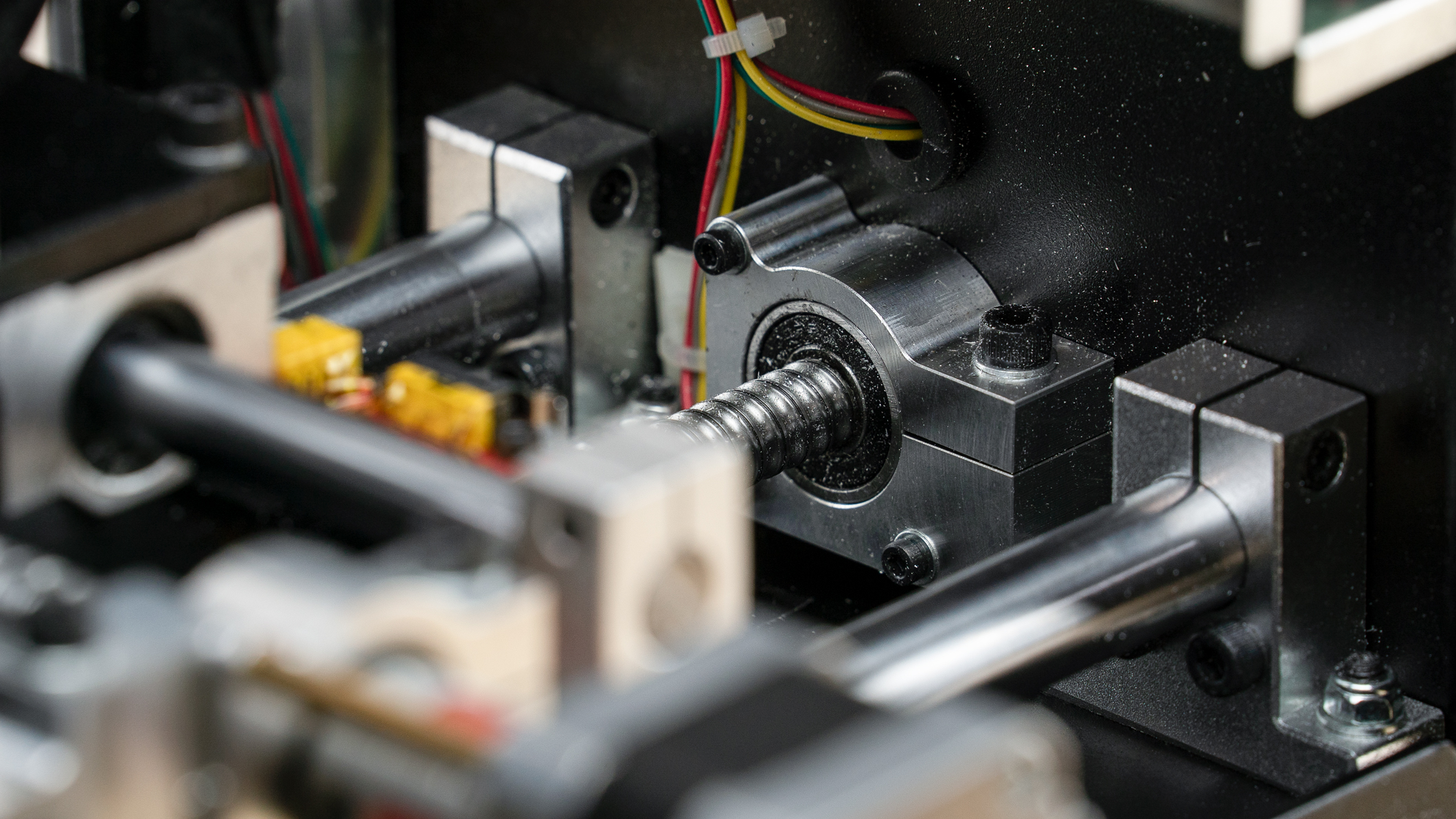
2. Follow these instructions if the ball screw is detached from the Y mount.
Tools:
- 2.5mm allen
- 4mm allen
- 8mm open ended wrench
- Torque wrench
3. Turn Ghost Gunner upside down
4. Remove back plate (7 bolts with 2.5mm allen).
5. Move Y gantry all the way to the left to allow easy access to Y stepper mount (the mount connected to y ball screw holding the bearings).
6. Unscrew the three bolts on the y mount. (2.5mm allen)
7. Unplug Y stepper and cut zip tie holding wires to brass stand-off.
8. Loosen the 2.5mm screw on the coupling (gray and red cylinder) connected to the y stepper motor.
9. With y mount now disconnected to stepper motor you will loosen the M5 nut and bolt on the Y mount (using a 4mm allen and 8mm wrench).
10. Remove Y mount from bearings. Note: If the mount does not slide off easily, use a flat head and wedge it into small slit to unclamp mount from bearings.
11. Loosen 2.5 mm screw on coupling to remove coupling from y ball screw.
12. Check bearings to make sure they still rotate smoothly and don’t feel gritty.
13. The Y ball screw will have two bearings and in between them with be two belleville springs.
14. Slide Y mount back over the bearings. Note: Again, if the mount won’t slide on easily, use a flathead to wedge small slit in mount open further.
15. Tighten the M5 nut and bolt on the Y mount to 30 inch-pounds. You will need a torque wrench for this.
16. Place Y mount against the enclosure, insert the 3 M3x35 bolts and reconnect the stepper motor and tighten.
17. Tighten the 2.5mm screw on the coupling to the stepper motor. Make sure it is very tight.
18. Plug Y motor back in and zip tie the stepper wires to the brass stand off.
Comments
0 comments
Please sign in to leave a comment.